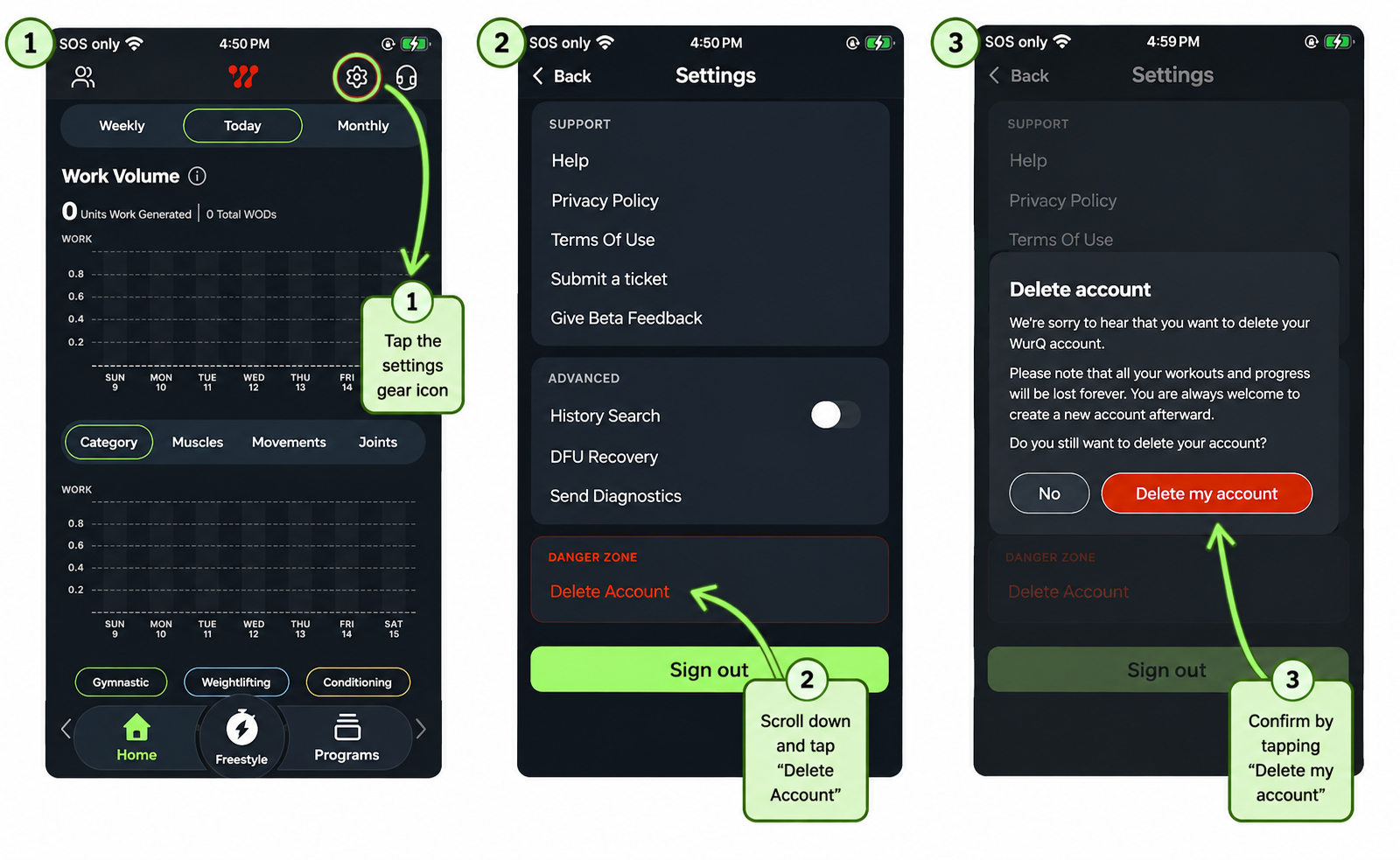
If you wish to delete your account, you can do so in three easy steps.
- Click the gear button to access settings
- Scroll to bottom of the settings menu
- Click the "delete account" button
Once you do this, it will send an email requesting account deletion.
You can also reach out to our support team or submit a ticket request to delete your account.
Was this article helpful?
That’s Great!
Thank you for your feedback
Sorry! We couldn't be helpful
Thank you for your feedback
Feedback sent
We appreciate your effort and will try to fix the article