Connecting Gen-2 Sensors
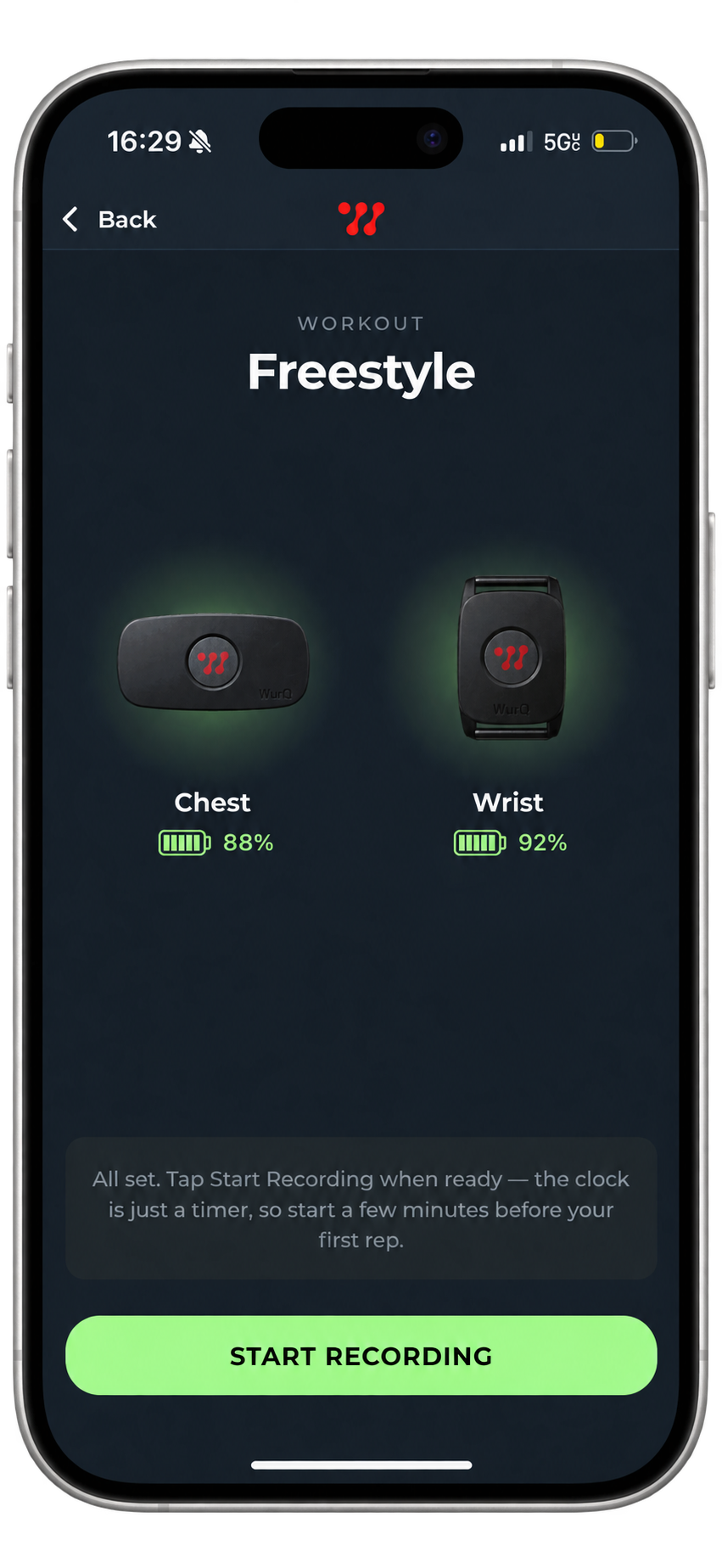
Once your sensors have been calibrated, follow this process to connect your sensors:
- Hit the Freestyle or select a Program to begin a session.
- Selected your sensors once they appear on the screen
Wearing Gen-2 Sensors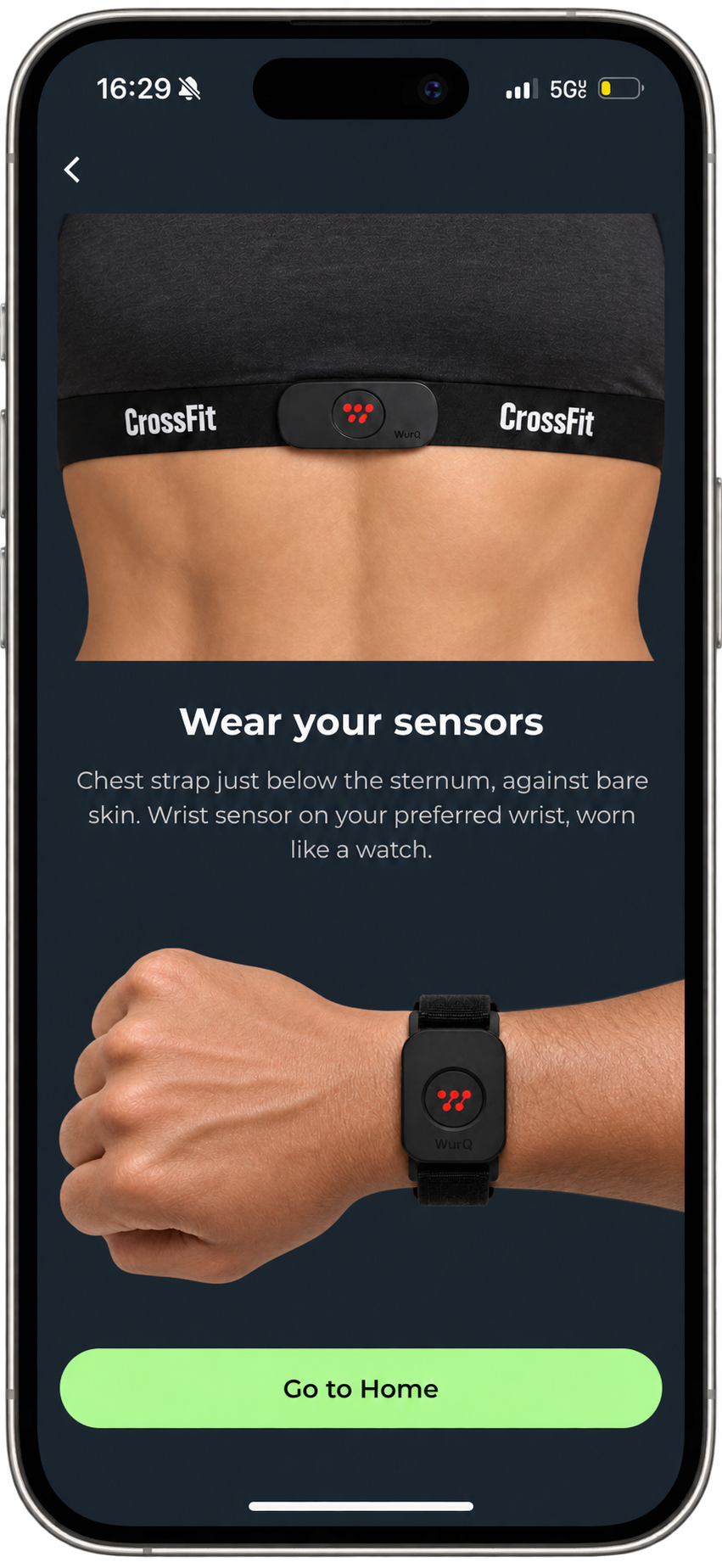
- Chest Sensor: Your chest sensor should be worn tightly in the middle of your sternum, just below your chest. Make sure that the WurQ "W" is facing right-side up
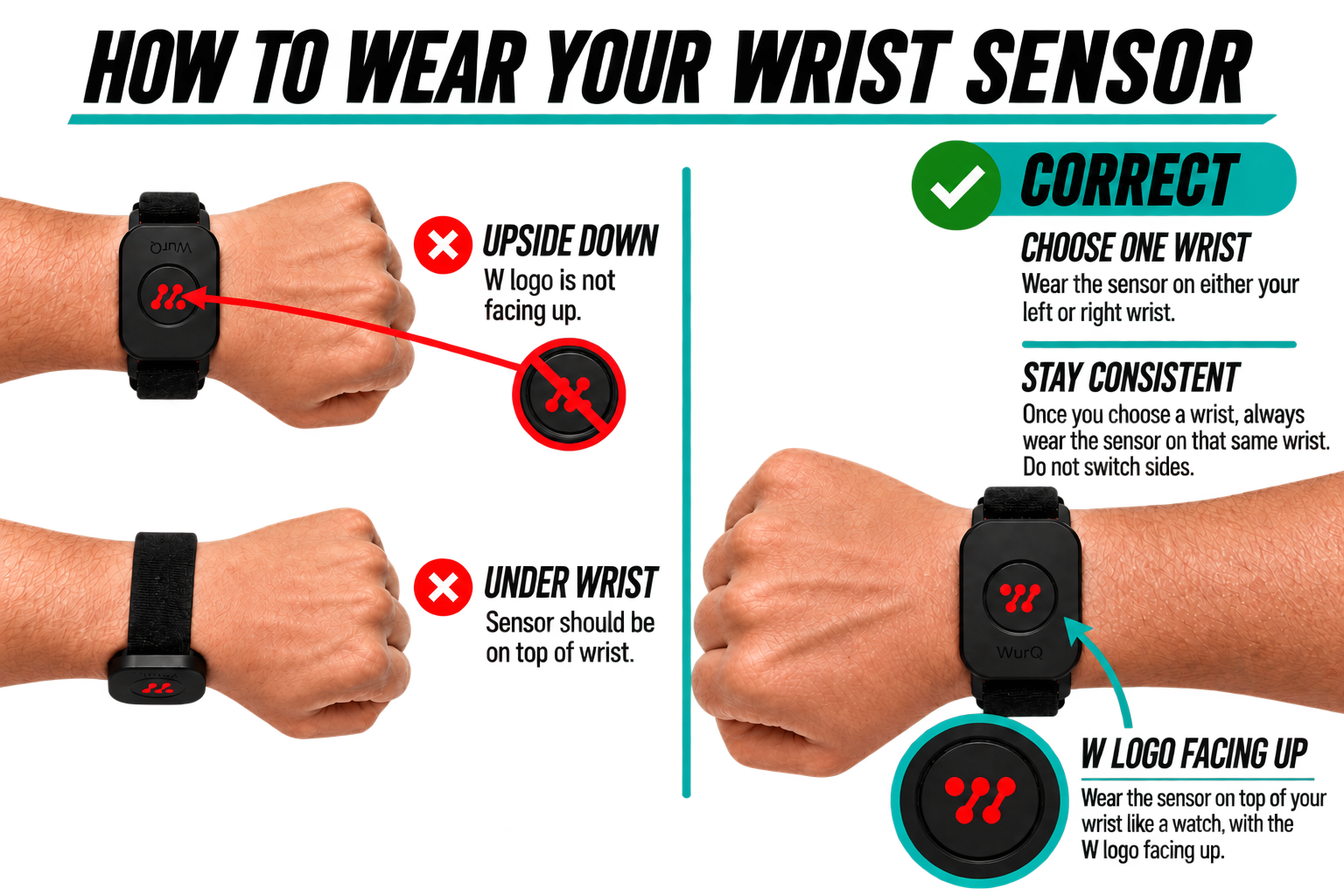
- Wrist Sensor: Wear the sensor on the wrist you chose during onboarding, once you choose a wrist you can't switch the wrist you wear it on. Wear the sensor like a watch, with the WurQ "W" facing up.
How to Charge
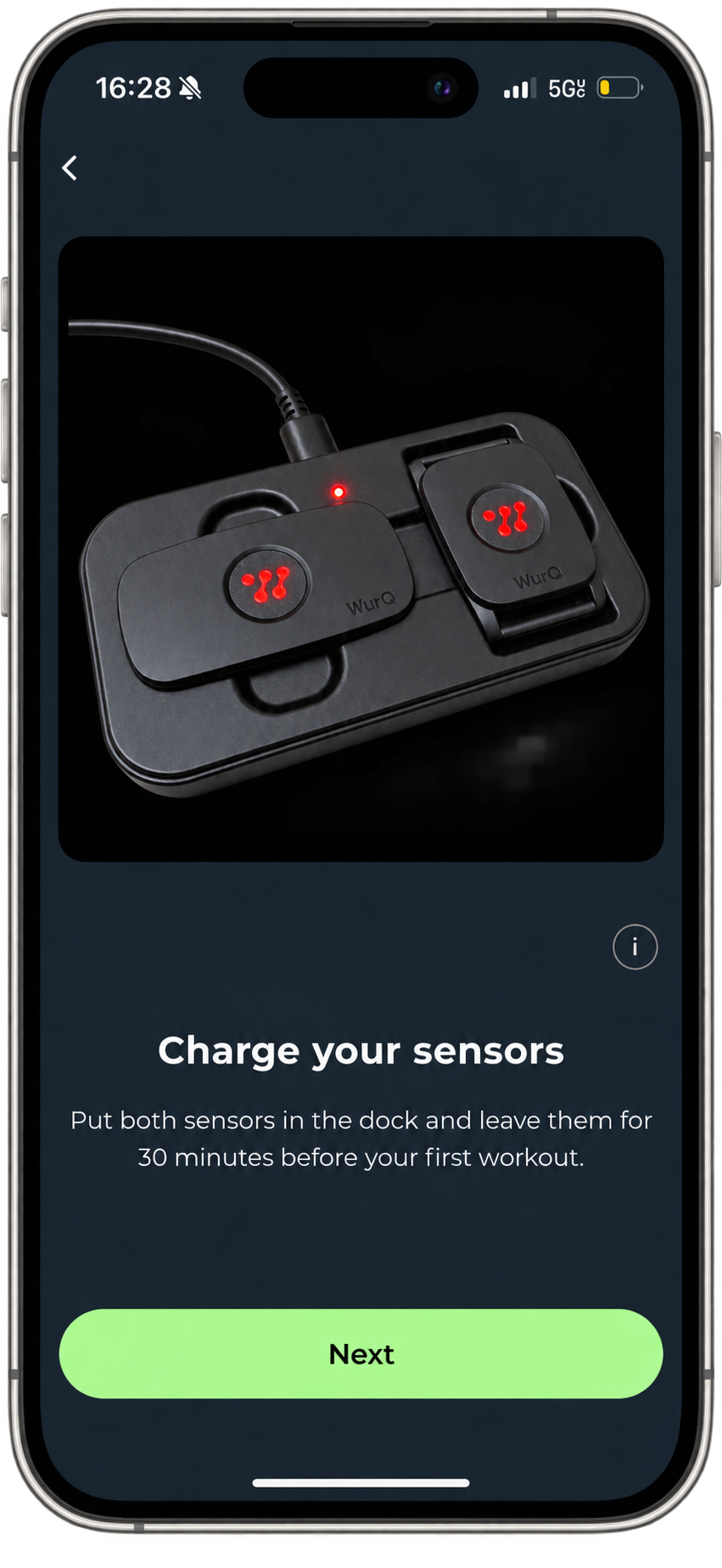
To charge your sensors, simply plug the charger into a secure outlet and place the sensors in the dock, ensuring the magnets lock the sensors in. You will know that the sensors are charging because the light will blinking, and they are fully charged when the light is solid.
Sensor Light Guide
- One blink: Sensors are on
- Two blinks: Sensors are connected
- Three blinks: Sensors are recording data
Was this article helpful?
That’s Great!
Thank you for your feedback
Sorry! We couldn't be helpful
Thank you for your feedback
Feedback sent
We appreciate your effort and will try to fix the article