The first time you perform a movement, WurQ automatically sets your highest Range of Motion as your baseline. As your ROM improves, you can update that baseline anytime to keep it accurate. It is easy, here's how:
Step 1: Look through the movements you did in your session and select the ROM baseline you want to edit.
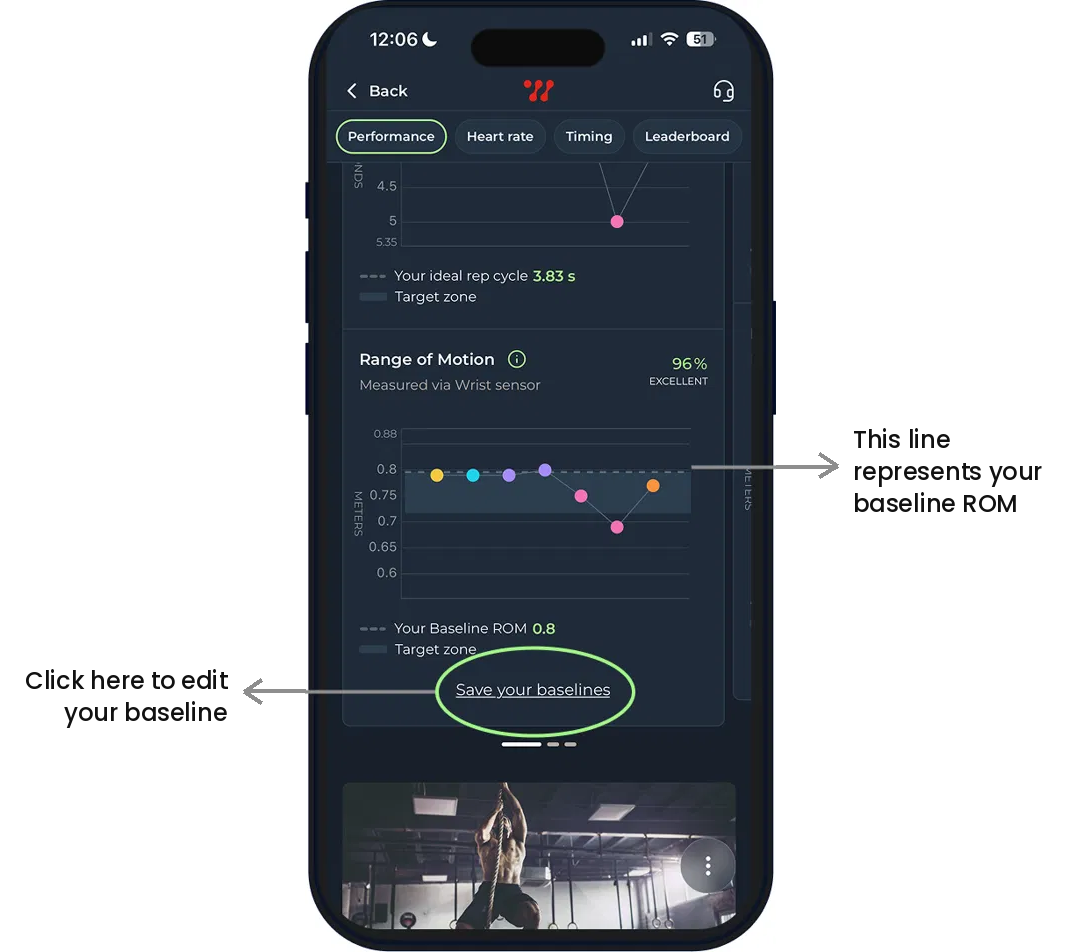
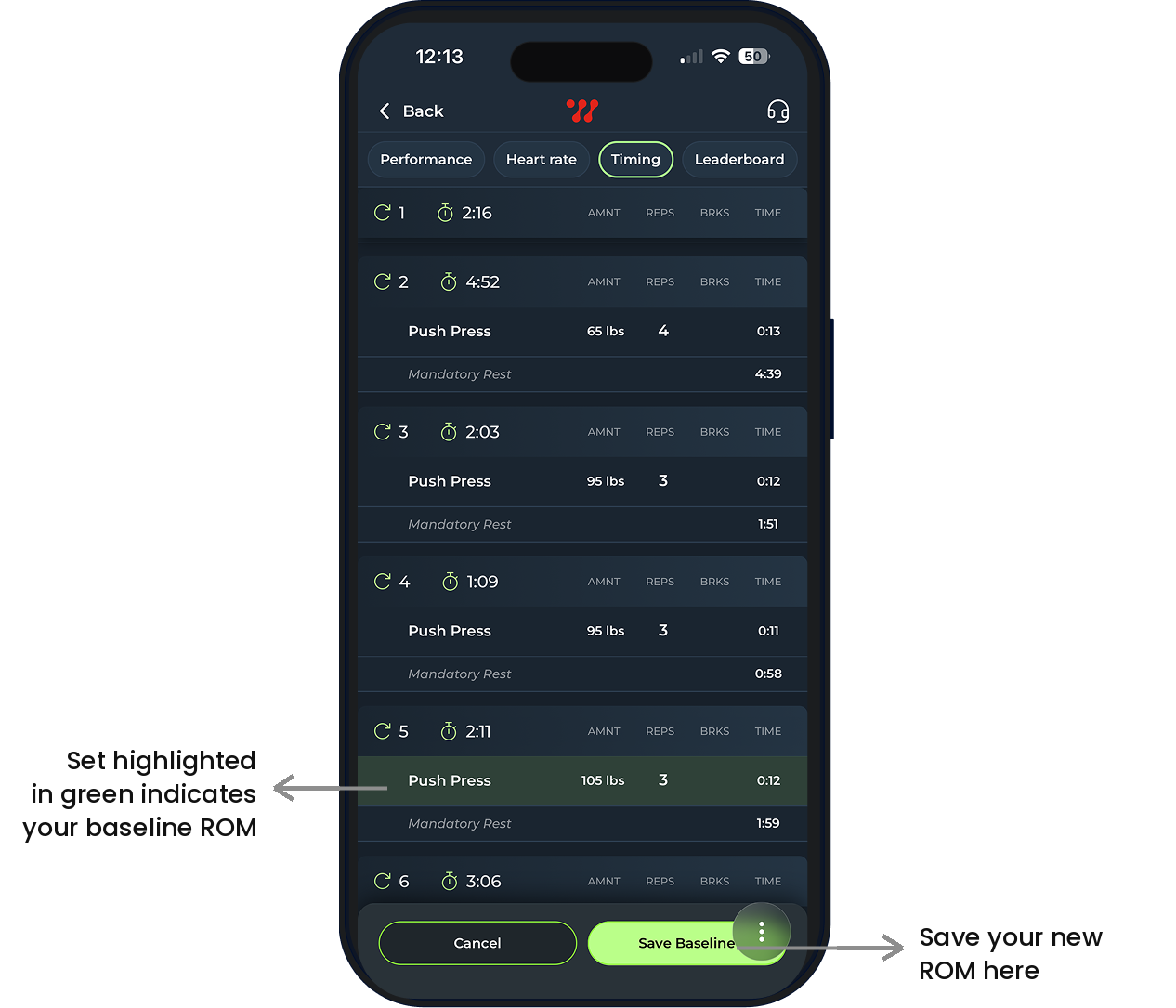
Step 2: The set that is highlighted in green is your current baseline, to change it simply tap the set you want to make your baseline. That one will then turn green. Once the set you want to make your baseline is highlighted green, hit save baseline at the bottom of the screen.
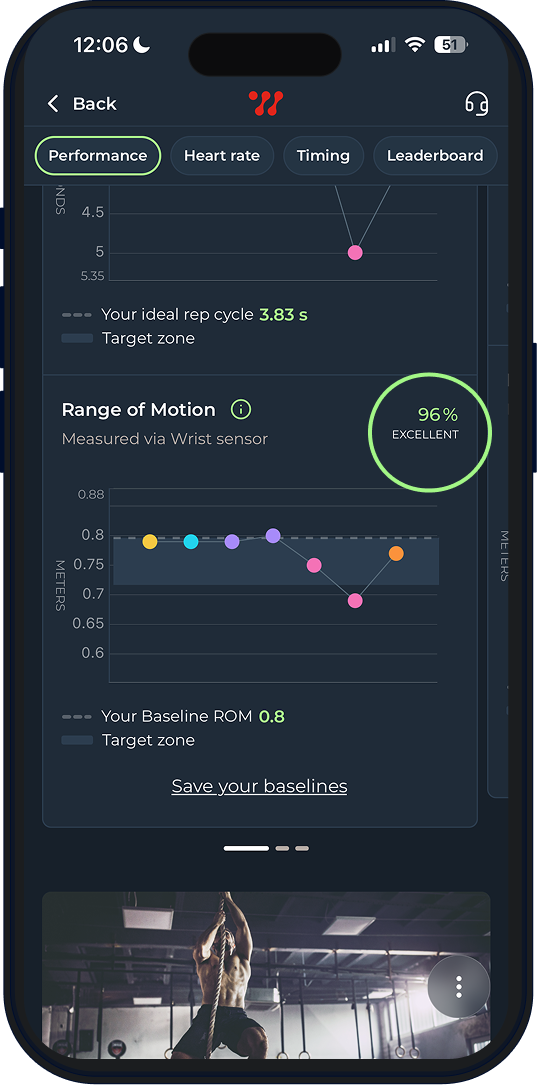
Once you save your new baseline, WurQ will edit your results to reflect your new baseline. Depending on what your new baseline is, your results will change. If your new baseline is higher, there is a chance your performance score goes down a little.
As you can see above, the original ROM score was a 96%, this is because although a lot of the ROMs were either on or fractionally below the baseline, there was one that was very below, which dragged the overall score down.
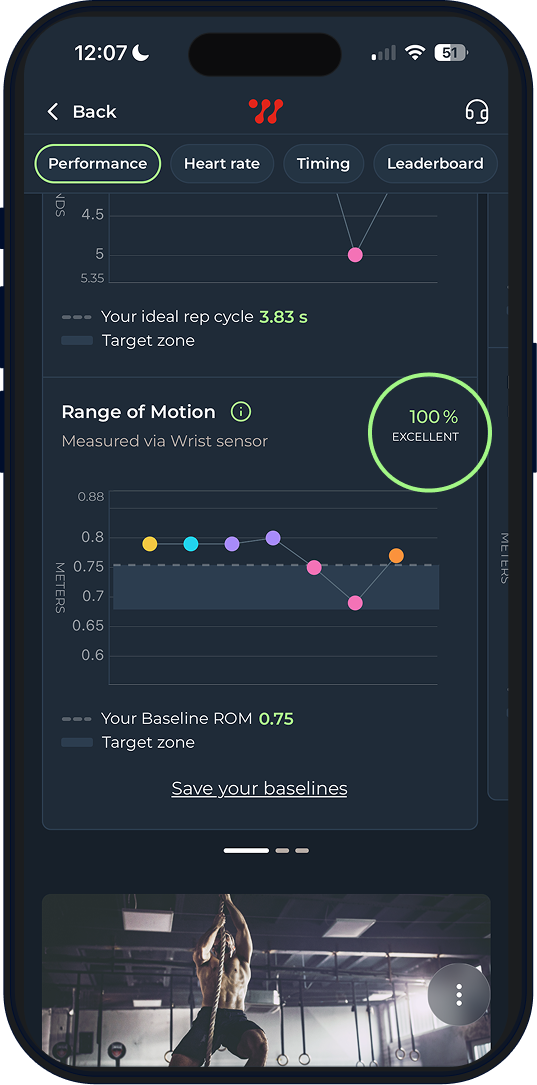
Here, the baseline was changed to a lower ROM, which made it so most of the ROMs were above the baseline. This is why the score changed to 100%
Was this article helpful?
That’s Great!
Thank you for your feedback
Sorry! We couldn't be helpful
Thank you for your feedback
Feedback sent
We appreciate your effort and will try to fix the article